


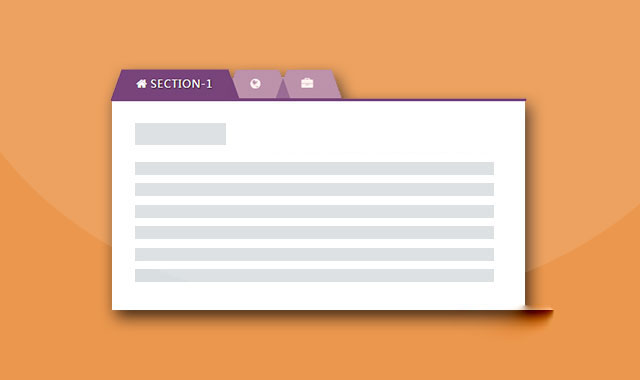
这是一款基于Bootstrap的Tabs选项卡特效。该Tabs选项卡在bootstrap tabs的基础上,使用CSS3进行了一些效果美化,增强用户体验效果。
使用方法
在页面中引入bootstrap相关文件,以及jquery和font-awesome字体图标文件。
HTML结构
该Tabs选项卡的基本HTML结果如下:
Section 1
Tabs选项卡一的内容...
Section 2
Tabs选项卡二的内容...
Section 3
Tabs选项卡三的内容...
CSS样式
通过下面的CSS代码来对Tabs选项卡进行效果的美化。
a:hover,a:focus{
    outline: none;
    text-decoration: none;
}
.tab{ text-align: center; }
.tab .nav-tabs{
    display: inline-block;
    position: relative;
    border-bottom: none;
}
.tab .nav-tabs li{
    margin: 0;
}
.tab .nav-tabs li a{
    display: block;
    padding: 80px 20px 10px;
    background: #fff;
    font-size: 17px;
    font-weight: 700;
    color: #999;
    text-transform: uppercase;
    text-align: center;
    border-radius: 0;
    border: none;
    border-bottom: 2px solid #fff;
    margin-right: 0;
    overflow: hidden;
    z-index: 1;
    position: relative;
    transition: all 0.3s ease 0s;
}
.tab .nav-tabs li a span{
    display: block;
    width: 50px;
    height: 50px;
    line-height: 50px;
    background: #f2f2f2;
    margin: auto;
    font-size: 22px;
    color: #999;
    border-radius: 5px;
    position: absolute;
    top: 10px;
    left: 0;
    right: 0;
    transform: rotate(45deg);
}
.tab .nav-tabs li.active a span{
    background: #29335c;
    color: #fff;
}
.tab .nav-tabs li a span i{
    transform: rotate(-45deg);
}
.tab .nav-tabs li.active a,
.tab .nav-tabs li a:hover{
    color: #999;
    border: none;
    border-bottom: 2px solid #fff;
}
.tab .nav-tabs li.active a{
    border-bottom: 2px solid #29335c;
}
.tab .tab-content{
    padding: 20px;
    margin-top: -5px;
    font-size: 15px;
    color: #757575;
    line-height: 26px;
    text-align: left;
    border-top: 1px solid #e5e5e5;
}
.tab .tab-content h3{
    font-size: 24px;
    margin-top: 0;
}
@media only screen and (max-width: 479px){
    .tab .nav-tabs li{
        width: 100%;
        text-align: center;
        margin-bottom: 5px;
    }
    .tab .nav-tabs li:last-child{
        margin-bottom: 0;
    }
}






 粤公网安备 44011102002787号