
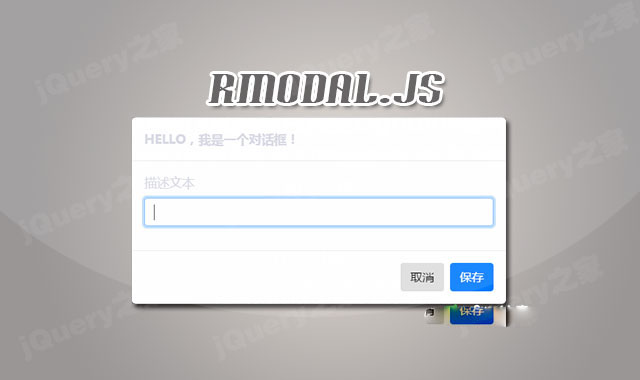

rmodal.js是一款带动画效果的js模态对话框插件。rmodal.js模态对话框插件压缩版本仅1.2kb,没有任何外部依赖,可以制作出带动画特效的模态对话框效果。它的特点还有:
- 使用简单,执行效率高。
- 纯js编写,没有任何外部依赖。
- 支持包括IE9+的所有现代浏览器。
- 可以和bootstrap和animate.css结合使用。
- 支持CommonJS, AMD 或 globals。
安装
可以通过npm或bower来安装rmodal.js插件。
npm install rmodal --save
bower install rmodal --save
使用方法
在页面中引入下面的CSS和js文件。
HTML结构
使用一个下面的模板来创建一个模态对话框。
创建一个按钮来触发模态窗口。
Show modal
初始化插件
最后通过下面的js代码来初始化该模态对话框插件。
配置参数
rmodal.js模态对话框插件的可用配置参数有:
{
      content: 'This may be used to override all of the dialog inner html'
      , closeTimeout: 500 // Time to wait (ms) before afterClose() is called

      /**
       * Callbacks
       */
      , beforeOpen: function(next) {
          console.log('I will execute right before the dialog is shown');
          next();
      }
      , afterOpen: function() {
          console.log('I will execute just after the dialog is shown');
      }
      , beforeClose: function(next) {
          console.log('I will execute right before the dialog is closed');
          next();
      }
      , afterClose: function() {
          console.log('I will execute just after the dialog is closed');
      }

      /**
       * Classes
       */

      // Added to body element clases while the modal is opened:
      , bodyClass: 'modal-open'

      // Always added to dialog element classes:
      , dialogClass: 'modal-dialog modal-dialog-lg'

      // Added to dialog element classes after it is opened:
      , dialogOpenClass: 'animated fadeIn'

      // Added to dialog element classes before it is closed:
      , dialogCloseClass: 'animated fadeOut'

      /**
       * Focus
       */

      // Set this to "false" to disable focus capture (tab/shift+tab):
      , focus: true

      // Set this to "false" to disable closing when escape key pressed:
      , escapeClose: true
}
content:对话框中的内容。closeTimeout:在afterClose()方法被调用后多少秒钟关闭对话框。单位毫秒。beforeOpen:模态窗口打开前的回调函数。afterOpen:模态窗口打开后的回调函数。beforeClose:模态窗口关闭前的回调函数。afterClose:模态窗口关闭后的回调函数。bodyClass:模态窗口body的class样式类。dialogClass:添加到对话框上的class类。dialogOpenClass:在模态窗口打开之后添加的class类。dialogCloseClass:在模态窗口关闭之前添加的class类。focus:设置为false时,不能使用tab键来获取焦点。escapeClose:设置为false时,不能使用键盘的ESC键来关闭模态窗口。
rmodal.js模态对话框插件的github地址为:https://github.com/zewish/rmodal.js









 粤公网安备 44011102002787号