
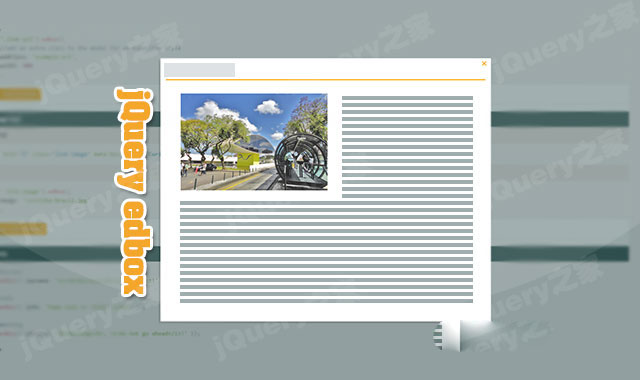

jquery.edbox.js是一款轻量级的jquery响应式模态窗口插件。通过该jquery模态窗口插件,你可以轻松的制作出响应式的,带动画效果的,可基于AJAX的模态对话框效果。它的特点还有:
- 可以通过CSS来改变模态窗口的样式。
- 可以自定义模态窗口的头部和脚部内容。
- 可以自定义加载的loading效果。
- 支持多种格式的内容:HTML,文本,图片和AJAX内容等。
- 支持4种alert情景模式:success,info,warning 和 danger。
- 可自定义打开和关闭模态窗口的动画。
- 支持回调方法。
安装
可以通过npm或yarn来安装jquery.edbox.js插件。
npm install jquery.edbox

yarn add jquery.edbox
使用方法
在页面中引入edbox.css文件,jquery和jquery.edbox.js文件。
HTML结构
最简单的模态窗口的使用方法是使用一个 然后通过一个超链接或按钮来触发模态窗口。 在页面DOM元素加载完毕之后,通过 在模态窗口中加载HTML内容的方法如下:在 添加图片的方法如下: 添加AJAX内容的方法如下: jquery.edbox.js模态窗口插件的可用配置参数有: jquery.edbox.js模态窗口插件的可用方法有: jquery.edbox.js模态窗口插件的github地址为:https://github.com/eduardocmoreno/jquery.edbox
打开模态窗口
初始化插件
edbox();方法来初始化该模态窗口插件。
$('.trigger-link').edbox();
模态窗口中加载HTML,图片和AJAX内容
data-box-html属性中填写你的HTML内容即可。
$('.trigger-link').edbox();
Image load example
$('.link-image').edbox({
image: 'curitiba-brazil.jpg'
});
URL load example
$('.link-url').edbox({
//add an extra class to the modal for an especific style
addClass: 'example-url',
width: 900
});
配置参数
参数
data属性
类型
默认值
描述
target
data-box-target
string
null
DOM 元素
copy
data-box-copy
boolean
false
使用复制的元素来代替自己。仅对target选项有效。
html
data-box-html
string
null
html 或 text
image
data-box-image
string
null
图片的路径
url
data-box-url
string
null
url 路径 (files, pages等...)
success
data-box-success
string
null
Alert success
info
data-box-info
string
null
Alert info
warning
data-box-warning
string
null
Alert warning
danger
data-box-danger
string
null
Alert danger
header
data-box-header
string
null
可选的 header 标签 - 可以是html 或 text
footer
data-box-footer
string
null
可选的 footer 标签 - 可以是html 或 text
width
data-box-width
number
null
为模态窗口设置一个固定的宽度
height
data-box-height
number
null
为模态窗口设置一个固定的高度
addClass
data-box-add-class
string
null
为模态窗口设置一个指定的class名称
close
data-box-close
boolean
true
模态窗口是否可以关闭
events: keydown (esc) / click ('x' icon or outside the modal)
animation
data-box-animation
boolean
true
模态窗口是否可以动画
animateOpen
data-box-animate-open
string
'edbox-animate-open'
模态窗口打开时的CSS动画
animateClose
data-box-animate-close
string
'edbox-animate-close'
模态窗口关闭时的CSS动画
beforeOpen
data-box-before-open
function
function() {}
模态窗口打开时的回调函数
afterOpen
data-box-after-open
function
function() {}
模态窗口关闭时的回调函数
beforeClose
data-box-before-close
function
function() {}
模态窗口关闭之前的回调函数
afterClose
data-box-after-close
function
function() {}
模态窗口关闭之后的回调函数
方法
//set edbox for the set of matched elements
$('.myModalLink').edbox({ options });
$('[edbox]').edbox({ options });
//Init without assigning any element
$.edbox({ options });
//Make custom settings as defaults
$.edboxSettings({ options });
//Close event
$.edbox('close');










 粤公网安备 44011102002787号