
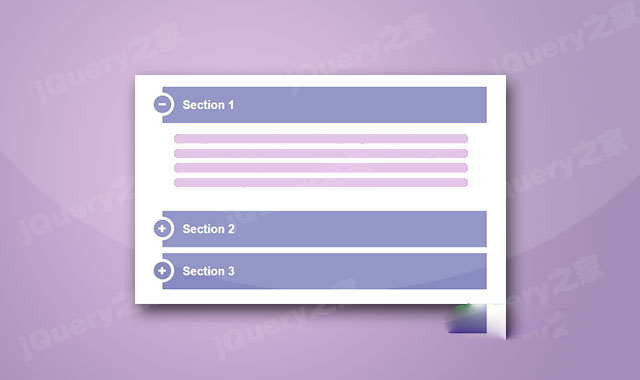

这是一款bootstrap手风琴菜单美化效果。该bootstrap手风琴菜单在原生bootstrap accordion的基础上,通过简单的CSS代码来进行美化,生成更加漂亮的bootstrap手风琴菜单效果。
使用方法
在页面中引入jquery和bootstrap相关文件,以及font-awesome字体图标文件。
HTML结构
该bootstrap手风琴菜单的基本HTML结构如下。
CSS样式
为该bootstrap手风琴菜单添加下面的CSS样式,来对其进行美化。
a:hover,a:focus{
    text-decoration: none;
    outline: none;
}
#accordion .panel{
    border: none;
    box-shadow: none;
    border-radius: 10px;
    margin-bottom: 10px;
}
#accordion .panel-heading{
    padding: 0;
    border: none;
    border-radius: 10px;
}
#accordion .panel-title a{
    display: block;
    padding: 20px 35px;
    font-size: 20px;
    font-weight: 600;
    color: #fff;
    background: #888bc2;
    border: none;
    position: relative;
    transition: all 0.3s ease 0s;
}
#accordion .panel-title a:after,
#accordion .panel-title a.collapsed:after{
    content: "\f068";
    font-family: fontawesome;
    width: 40px;
    height: 40px;
    line-height: 32px;
    border-radius: 50%;
    background: #888bc2;
    text-align: center;
    font-size: 15px;
    color:#fff;
    border: 5px solid #fff;
    position: absolute;
    top: 10px;
    left: -20px;
    transition: all 0.3s ease 0s;
}
#accordion .panel-title a.collapsed:after{
    content: "\f067";
}
#accordion .panel-title a:hover:after,
#accordion .panel-title a.collapsed:hover:after{
    transform: rotate(360deg);
}
#accordion .panel-body{
    padding: 15px 25px;
    background: #fff;
    font-size: 14px;
    color: #8c8c8c;
    line-height: 25px;
    border-top: none;
    position: relative;
}






 粤公网安备 44011102002787号