


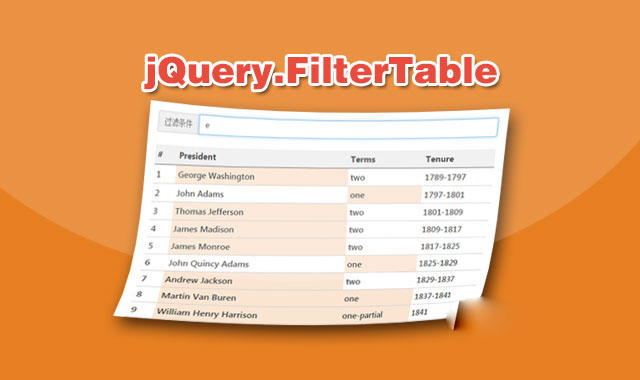
jQuery-easySearch是一款可以实现对列表和表格内容进行过滤搜索的jQuery插件。
使用方法
使用该过滤搜索插件需要在页面中引入jquery和jquery.easysearch.js文件。
HTML结构
需要使用一个元素来作为搜索框。
初始化插件
在页面DOM元素加载完毕之后,可以通过jSearch()方法来初始化该过滤搜索插件,在参数中指定搜索的父元素和子元素。
$('input').jSearch({
  selector  : 'ul',
  child : 'li'
});
例如在列表中进行搜索:
$('input').jSearch({
    selector  : 'ul',
    child : 'li div.header',
    minValLength: 0,
    Found : function(elem){
        $(elem).parent().parent().show();
    },
    NotFound : function(elem){
        $(elem).parent().parent().hide();
    },
    After : function(t){
        if (!t.val().length) $('ul li').show();
    }
});
在表格中进行搜索:
$('input').jSearch({
    selector  : 'table',
    child : 'tr > td',
    minValLength: 0,
    Before: function(){
        $('table tr').data('find','');
    },
    Found : function(elem){
        $(elem).parent().data('find','true');
        $(elem).parent().show();
    },
    NotFound : function(elem){
        if (!$(elem).parent().data('find'));
        $(elem).parent().hide();
    },
    After : function(t){
        if (!t.val().length) $('table tr').show();
    }
});
配置参数
可用的配置参数有:
selector:要进行过滤搜索的父元素。child:要进行过滤搜索的子元素。minValLength:输入几个文字时触发搜索。onFound:如果搜索匹配时触发该回调函数。onNotFound:如果没有任何搜索匹配时触发该回调函数。onBefore:在搜索前触发。onAfter:在搜索后触发。
jQuery-easySearch过滤搜索插件的github地址为:https://github.com/Archakov06/jQuery-easySearch





 粤公网安备 44011102002787号